Home automation running entirely on your local network — without sending data to the cloud
Only your network • Your rules • Your security.
Devices, automations, and a live dashboard — all running on your own server. No cloud, no subscription, no vendor
lock-in.
- Runs on any machine on your network
- Quick setup
- Free license
- Native Zigbee2MQTT & MQTT support
Are you aware of these problems without our app?
What you actually gain
No cloud, no subscription, no vendor lock-in.
All data stays on your server, and the system works even without internet. You pay no one a monthly fee to access your own home.
Full control over your own data.
No one but you has access to what happens in your home. You export, back up, and manage everything yourself, whenever you want.
An open ecosystem with no limits.
You connect devices from different brands in one place, with no artificial vendor barriers. You expand the system exactly the way you need.
Furthermore
A real dashboard, real data, on your own hardware
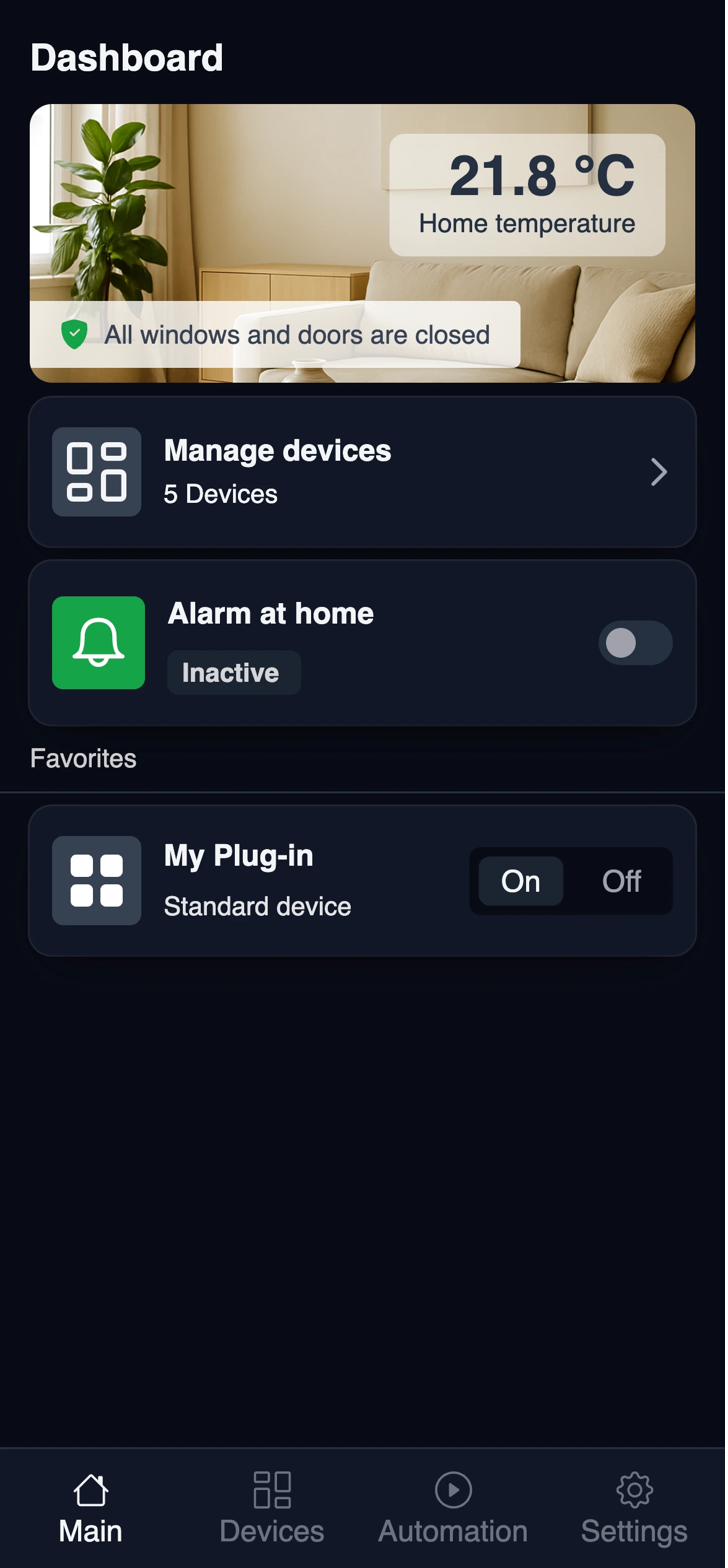
From Zigbee adapter to automated home
No cloud account, no pairing app, no subscription — set it up once on your own hardware.
Plug in a Zigbee adapter
Any supported USB Zigbee coordinator connects Sparrow Home to your devices.
Devices are discovered
Zigbee2MQTT finds and pairs your bulbs, sensors, and switches automatically.
Build automations
Drag conditions and actions together in the no-code editor — no scripting required.
Watch the dashboard
See every room's live state, plus history and energy stats over time.
Keeps running offline
Internet drops, your automations don't — everything stays on your local network.
Works with the devices you already own
- Zigbee2MQTT under the hood — no proprietary hub required.
- Thousands of supported devices across dozens of brands.
- Auto-discovery pairs new devices in seconds.
- MQTT-native — bring your own sensors and scripts too.
- Mix and match brands in the same room without friction.
Rules that run without an internet round-trip
- No-code editor — conditions, actions, and schedules in a visual builder.
- Scenes for "movie night," "goodnight," or any routine you name.
- Runs on the device itself — no cloud call, no added latency.
- Time, sensor, and presence triggers combined freely.
- Versioned automations you can roll back if something breaks.
See the whole house at a glance
- Live room view of every connected device.
- Energy and usage charts over day, week, or month.
- History log for every state change, searchable.
- Custom layouts per room or per person.
- Works on any browser — phone, tablet, or wall-mounted display.
Know the moment something needs attention
- Push and webhook alerts for motion, leaks, smoke, and battery levels.
- Configurable thresholds — decide what counts as urgent.
- Alert center with history and filters.
- Delivered locally first, with optional remote relay.
Nothing leaves your network unless you say so
- No cloud storage — logs, history, and credentials stay on your server.
- JWT authentication plus recommended VPN for safe remote access.
- Full data export any time, in open formats.
- You control updates — nothing auto-updates behind your back.
Built for people who like to own their systems
Homelab & tinkerers
Already running a Raspberry Pi or a NAS? Sparrow Home slots right in alongside your other self-hosted services.
Privacy-conscious households GROWING
Want smart devices without a subscription or a data-sharing agreement? This is built for exactly that.
Why
Built by one developer, shaped by the community — feature requests and bug reports go straight to GitHub Issues.
Free to self-host, always

Frequently asked questions
Does the system work without Internet access?
Which communication protocols are supported?
How is my data protected?
Can I integrate devices from different manufacturers?
Can I build automations without programming skills?
See Sparrow Home running in your own home
Clone the repo, run one Docker command, and your devices show up in minutes.
Have an idea for a new feature?
Share your suggestion below. You can also see what other users have proposed.
No suggestions yet. Be the first!
From the project log
Why I Built Sparrow Home
After quite some time and a fair amount of work, Sparrow Home is finally available.
What's coming next
Remote relay, mobile companion app, and more integrations on the way.
About the author
Piotr Wróbel on why local-first, privacy-aware software matters.